The Complete Guide to Amazon Keyword Research
Master Amazon keyword research with this comprehensive guide. Learn how to find high-volume keywords, analyze competitors, track rankings, and build a keyword strategy that drives organic growth.
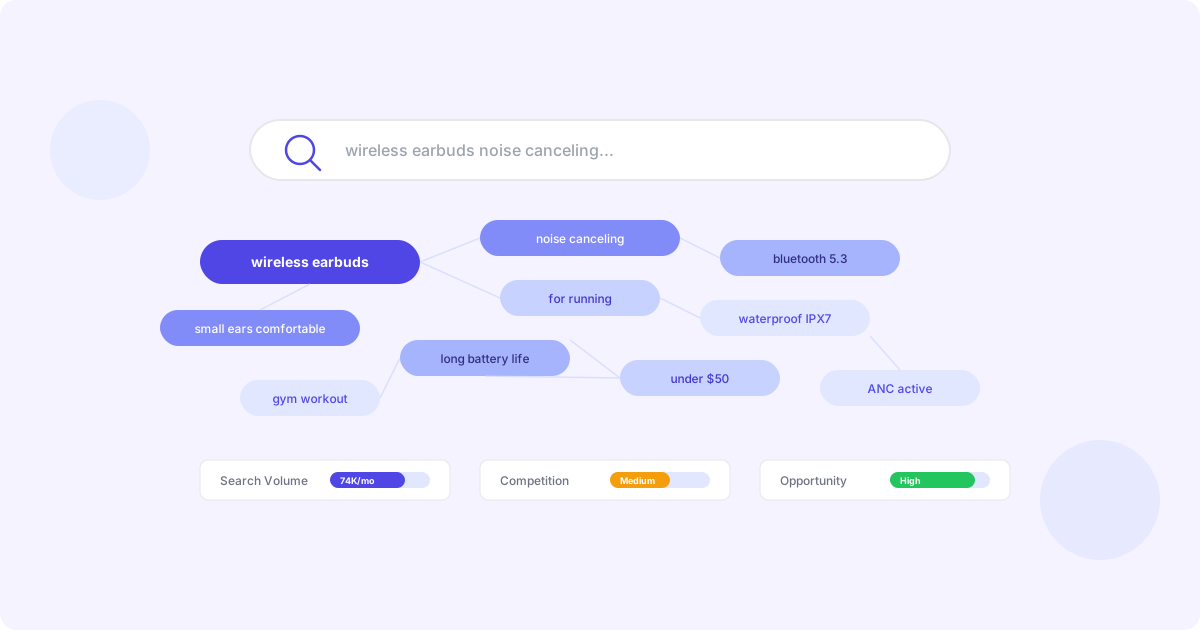
Keywords are the foundation of Amazon SEO. Every purchase on Amazon begins with a search, and the keywords in your listing determine whether your product appears in those results. In this guide, we cover everything you need to know about Amazon keyword research.
Why Amazon Keywords Are Different
Unlike Google SEO, Amazon keyword strategy is purely purchase-intent driven. Every search on Amazon is someone looking to buy. This means:
- Short-tail keywords have massive volume — “wireless earbuds” gets millions of searches
- Long-tail keywords convert higher — “wireless earbuds for small ears running” has fewer searches but much higher purchase intent
- Relevance is paramount — Amazon will suppress your listing if keywords do not match your actual product
- Backend keywords matter — You have 249 bytes of invisible search terms to leverage
Keyword Research Methods
1. Amazon Autocomplete
Start typing in Amazon’s search bar and note the suggestions. These are real searches by real shoppers, ranked by volume. This is free and gives you immediate insight into what customers are searching for.
2. Reverse ASIN Lookup
This is the most powerful technique for competitive keyword research. By analyzing which keywords your top competitors rank for, you can:
- Discover keywords you have not considered
- Identify gaps in your keyword strategy
- Understand which terms drive the most traffic to competing products
Peaklyst’s reverse ASIN tool shows you every keyword a competitor ranks for, along with their position, estimated search volume, and relevance score.
3. Keyword Gap Analysis
Compare your keyword coverage against competitors to find terms where they rank but you do not. These “gap keywords” represent untapped traffic opportunities. Our platform automatically identifies these gaps and prioritizes them by potential impact.
4. Brand Analytics
If you have Brand Registry, Amazon Brand Analytics provides actual search term data including click share and conversion share. This is the most authoritative source of keyword data because it comes directly from Amazon.
Building Your Keyword Strategy
Step 1: Create Your Seed List
Start with 5-10 core keywords that describe your product. Include:
- Product type (e.g., “wireless earbuds”)
- Key features (e.g., “noise canceling”)
- Use cases (e.g., “for running”)
- Materials (e.g., “silicone tips”)
Step 2: Expand with Research
Use the methods above to expand your seed list to 50-100+ keywords. For each keyword, note:
- Search volume — How many people search for this term
- Relevance — How closely it matches your product
- Competition — How many other sellers target this term
- Current rank — Your current position (if any)
Step 3: Prioritize by Impact
Not all keywords are equal. Prioritize based on:
- High volume + high relevance — These are your primary keywords. Include them in your title.
- Medium volume + high relevance — Secondary keywords for bullet points and description.
- Long-tail variations — Distribute across description and backend search terms.
- Competitor-only keywords — Keywords where competitors rank but you do not. These are opportunities.
Step 4: Distribute Across Your Listing
Each part of your listing has a different weight in Amazon’s algorithm:
| Location | Weight | Best For |
|---|---|---|
| Title | Highest | Primary keywords (2-3 most important) |
| Bullet Points | High | Secondary keywords, feature-benefit pairs |
| Description | Medium | Long-tail keywords, use cases, storytelling |
| Backend Search Terms | Medium | Misspellings, synonyms, Spanish terms |
| Subject Matter | Low | Additional categorization keywords |
Step 5: Track and Iterate
Keyword optimization is not a one-time task. Track your rankings daily and iterate:
- Monitor rank changes for your target keywords
- Watch for new trending keywords in your category
- Update backend search terms quarterly
- Re-run gap analysis monthly against top competitors
PPC Keyword Harvesting
One of the most powerful techniques for organic keyword discovery is PPC keyword harvesting. When you run Sponsored Products campaigns:
- Amazon shows your product for search terms related to your target keywords
- Some of these search terms convert into sales
- These converting search terms are prime candidates for organic optimization
Peaklyst automates this process. Our PPC keyword harvesting feature identifies search terms from your advertising campaigns that have strong conversion rates and automatically suggests them for organic inclusion in your listing content.
Common Keyword Mistakes
Avoid these pitfalls:
- Keyword stuffing — Cramming keywords unnaturally hurts readability and conversions
- Ignoring backend terms — Many sellers leave this field empty or underutilized
- Repeating words — Do not repeat the same word in backend search terms; Amazon indexes each word once
- Using commas in backend — Use spaces, not commas, to maximize your 249-byte limit
- Targeting irrelevant keywords — Amazon penalizes listings that rank for terms unrelated to the actual product
Measuring Keyword Performance
Track these metrics to evaluate your keyword strategy:
- Indexed keywords — Total number of keywords Amazon associates with your listing
- Page 1 rankings — Keywords where you appear in the top 48 results
- Rank improvements — Keywords trending upward over time
- Organic traffic — Sessions attributed to organic search (vs. PPC)
- Keyword conversion rate — Which keywords lead to the most sales
Getting Started
Ready to level up your keyword strategy? Start your free trial to access reverse ASIN lookup, keyword gap analysis, daily rank tracking, and AI-powered keyword optimization.